First year
“Who am I?”
Builds: My Interests and Strengths Plan
The in-school journey
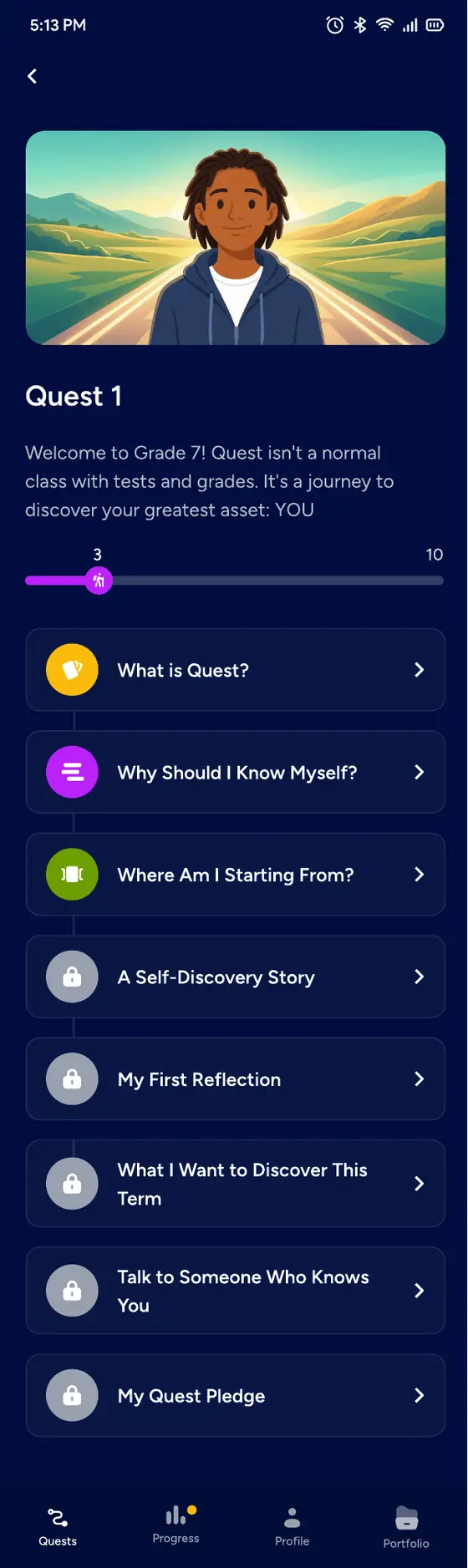
Quest guides learners through the final six years of secondary school—from first questions about who they are to applications, funding and a plan for every outcome.
Who it’s for
Learners select the class names used by their school. Quest keeps the journey consistent across curricula while every learner continues to see the language familiar to them.
Academics and Universities · Live now
Learners work like scientists of themselves: gather evidence, find the pattern, form a hypothesis and design the test. Over time, uncertainty becomes a decision they can explain and support.
Builds: My Interests and Strengths Plan
Builds: My Growth Record and Revised Hypothesis
Builds: My Choice
Builds: My Vision
Builds: My Roadmap
Builds: My application and funding plan
Inside one Quest
Nothing is checked, sorted or diagnosed before it has been taught. Every Quest follows a deliberate path from a new idea to evidence the learner can use.
01
A short guide video introduces what the learner is about to explore.
02
Clear grounding content teaches the idea before anything is checked or diagnosed.
03
A comprehension check makes sure the foundation is there.
04
Interactive activities help the learner test the idea against their own life.
05
An Evidence Check-In takes the learner beyond the screen to observe, ask and make.
06
The learner adds a new section to their annual plan and rates their own progress.
Some moments are short, such as a five-minute video. Others are outdoor tasks that unfold over weeks and lead to an artefact. The format follows the learning, not a timer.
Different ways to learn
Quest moves between visual, practical, written and reflective experiences so learners can discover ideas from more than one angle.
Short videos introduce ideas through familiar characters and situations.
Swipeable decks make information easier to compare and revisit.
Learners group, connect and distinguish ideas through direct interaction.
Guided builders turn a complex process into clear, manageable steps.
Realistic choices invite learners to reason, not simply recall.
Written thinking and uploaded evidence connect learning to real life.
Assessed activities are gated at 60%. The system marks answers with a clear right response. Quest Coach reviews written reflection and evidence against a rubric—looking for completeness and specificity, not judging whether a learner’s personal reflection is “correct”.

Quest Coach
Quest Coach answers questions, responds to the learner’s own work and reviews reflections and Evidence Check-Ins against a clear rubric.
Gives feedback, asks useful questions and helps a learner improve their own answer.
It does not do the work, set school grades or decide a learner’s future for them.
Quest Coach uses a commercial AI service under a paid business agreement to generate feedback and replies. Learner work is not used to train the service provider's models.
Portfolio and progress
Every completed Quest contributes a section to one annual document. Each year’s document becomes evidence for the next, ending with applications, references, funding and a plan for every possible outcome.
At the end of the final year, Quest hands the learner to Quest Ascend.
No activity depends on a school having a particular facility, club or staff member. Whenever a learner needs to find or make something beyond the screen, Quest offers a school route, a community route and a start-it-yourself route. A learner whose school runs no clubs can still complete every activity.
What comes next
In development and not yet available to learners.
In development and not yet available to learners.
Safety and learner data
We ask for a name, gender, chosen Quest ID, password and one recovery contact—not a national ID, home address or photograph.
Quest stores activity answers, scores, progress, the portfolio and Coach conversations so the journey can build over time.
Learners see their own work. For school-linked accounts, teachers and school administrators see progress and completed activities. Limited Quest staff access accounts for support.
We do not sell learner data, use it for advertising or share it with advertisers or data brokers. The app contains no advertising trackers.
Learners choose from characters created by Quest. They cannot upload a profile picture of themselves.
Text submitted to Quest Coach is sent to a commercial AI service under a paid business agreement. It coaches; it does not make decisions for the learner, and the work is not used to train the service provider's models.
For parents and guardians
Start the in-school journey directly, or connect through a school that has a Quest licence.